
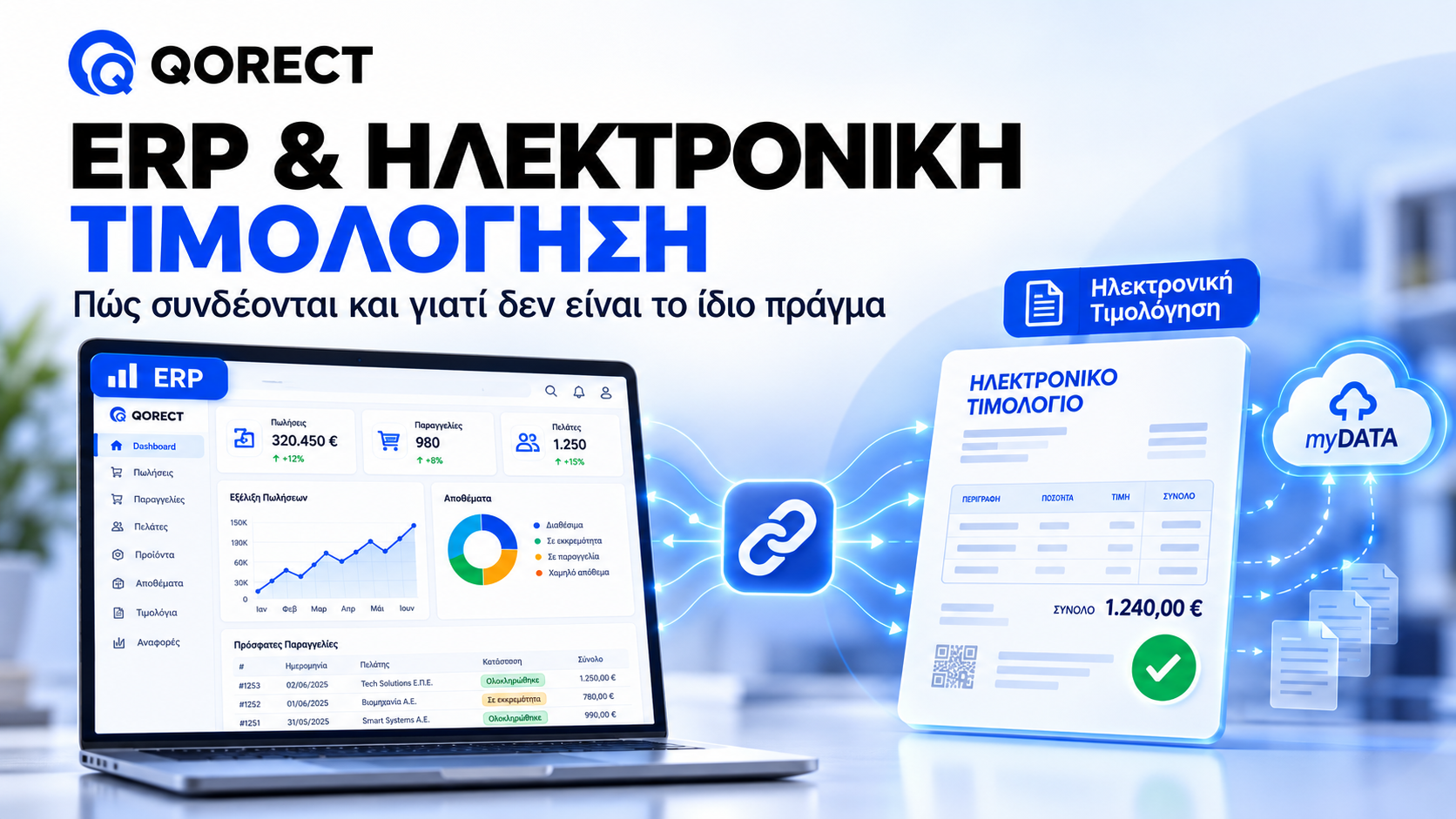
The ERP organizes the business's commercial operations: customers, products, prices, orders, sales, purchases, inventory and financial transactions.
The licensed Provider covers the e-invoicing layer: the required authentication and transmission of the relevant electronic documents.
And myDATA is the AADE platform to which the relevant data is transmitted.
This is why the right mental model is not:
ERP vs Provider
but:
Business Process → ERP → Provider → myDATA → MARK
For mandatory e-invoicing, AADE explicitly states that a commercial or accounting ERP is not, by itself, an accepted method for issuing electronic invoices. Businesses can use a Provider, in combination with their ERP where required, or the timologio / myDATAapp applications provided by AADE.
ERP and E-Invoicing: The Short Answer
The ERP and the E-Invoicing Provider are not the same system and do not perform the same role.
The ERP organizes the commercial activity. The Provider supports the required electronic issuance, authentication and transmission of the relevant documents.
For an organized business, however, the greater value comes when the two do not operate as isolated applications.
Because an invoice usually does not start with the invoice itself.
Customer → Quote → Order → Product → Price → Stock → Sale
E-Invoice → Provider → myDATA → MARK → Customer → Accounting → Reporting
This is the real business workflow.
What Is an ERP and What Does It Manage?
ERP — Enterprise Resource Planning is the business system through which a company can organize a large part of its day-to-day commercial operations.
Depending on the solution and edition, an ERP may include:
- customers and suppliers,
- products and services,
- price lists,
- quotes,
- orders,
- sales and purchases,
- receipts and payments,
- warehouses and stock,
- business documents,
- reporting,
- eCommerce integrations,
- accounting integrations.
For example, Plano ERP by Qorect manages sales, purchases, orders, quotes, business partners, products and services, and warehouse movements, while also offering additional modules such as YPAHES, API Connector and eShop Connector.
The ERP therefore knows what happened commercially.
Which customer made the purchase, what they bought, at what price, in what quantity, from which store or warehouse, and as part of which order.
What Is an E-Invoicing Provider?
An E-Invoicing Provider is a business that, through licensed software, undertakes on behalf of the issuing business the electronic authentication and transmission of the relevant documents in accordance with the applicable framework.
Provider software must hold a YPAHES suitability license issued by AADE.
Through a Provider, the transmission of the relevant documents to myDATA takes place automatically and in real time upon issuance. The invoices are submitted to the relevant platform checks and receive a Unique Registration Number — MARK.
What Does YPAHES Mean?
YPAHES stands for Electronic Document Issuance Provider Services.
The YPAHES license applies to the software through which the specific e-invoicing services are provided.
Therefore, it is not correct to assume that every software application capable of issuing an invoice is automatically a Provider.
Why Are ERP and Provider Not the Same Thing?
The simplest way to distinguish their roles is the following:
| Function | ERP | E-Invoicing Provider | myDATA |
|---|---|---|---|
| Customers | ✓ | — | — |
| Products / services | ✓ | — | — |
| Prices / price lists | ✓ | — | — |
| Orders | ✓ | — | — |
| Sales | ✓ | E-Invoicing layer | Receives relevant data |
| Purchases | ✓ | — | Receives relevant data |
| Warehouse | ✓ | — | — |
| Commercial workflow | ✓ | Works through integration where supported | — |
| Electronic invoice authentication | — | ✓ | — |
| Transmission through Provider | — | ✓ | Receives the data |
| MARK | — | Handled within the relevant flow | Assigned through myDATA |
| Business reporting | ✓ | Invoicing-specific | Tax / data platform |
In one sentence: The ERP organizes the business process. The Provider covers the e-invoicing layer. myDATA is the AADE platform to which the relevant data is transmitted.
Is the ERP Enough for Mandatory E-Invoicing?
No, when we are referring to a conventional commercial or accounting ERP as an independent compliance channel.
AADE explicitly states that a business management program, commercial/accounting software or ERP is not an accepted method for issuing invoices under the specific mandatory e-invoicing framework.
This does not mean that an ERP cannot issue invoices.
It means that an ERP's ability to create documents or transmit data to myDATA should not be confused with the prescribed method for e-invoicing.
The AADE framework describes the business options as:
Modern invoicing software / ERP + Certified Provider
or timologio / myDATAapp by AADE.
Do I Need a Provider if I Have an ERP?
Not in the sense that every business is required to sign a commercial agreement with a Provider.
A business can also address mandatory e-invoicing through the free timologio / myDATAapp applications provided by AADE.
The real question is different:
How do you want e-invoicing to work together with the rest of your commercial processes?
If the invoicing workflow is simple, the AADE applications may be worth serious consideration.
However, if the business already has an ERP at the center of its sales, orders, products and warehouse operations, then an ERP + Provider architecture becomes more relevant to evaluate.
How Do ERP, Provider and myDATA Connect?
Let's look at a realistic example.
1. The customer already exists in the ERP
The customer's relevant details are already stored in the ERP.
2. The order is entered
The system knows which products or services are included.
3. The ERP provides the commercial data
Item → quantity → price → discount → VAT → customer.
4. The sale and document are created
The action becomes part of the commercial process.
5. The invoicing workflow reaches the Provider
The exact technical flow depends on the ERP, the Provider and the integration being used.
6. The Provider authenticates and transmits
According to AADE, transmission through a Provider takes place automatically and in real time upon issuance.
7. The document receives a MARK
myDATA performs the required checks and the Unique Registration Number is assigned.
8. The information continues through the business workflow
Depending on the implementation, the ERP, customer and accounting process can continue to use the relevant data.
The goal is to avoid making users recreate the same transaction from scratch in a different environment.
Why Does ERP and Provider Integration Matter?
Integration is not simply a technical feature. It affects how the business actually operates.
1. A Common Source of Commercial Data
The customer, products, prices and order already exist in the ERP. The goal is to use the existing information instead of creating it again.
2. Fewer Manual Handoffs
The more often an employee has to move information from one system to another, the more operational friction is created.
A suitable integration can reduce unnecessary duplicate entries, depending on the implementation. This does not mean that every integration eliminates every manual action.
3. Consistency Between Sales and Inventory
In a commercial business, the invoice is often connected to an actual product movement.
When the sale is part of the same ERP workflow, the commercial transaction and stock update can remain organized within the same business system.
4. Accounting Workflow
The information does not stop with the customer.
Plano ERP, for example, includes the ability to connect with external accounting software in relevant editions, making the accounting workflow part of the overall architecture.
5. Automation
Invoice issuance can become the result of a process that has already started from the order or sale, rather than being treated as a completely independent task.
6. Scalability
A workaround that works with 20 documents per month may become difficult to manage when there are:
- thousands of documents,
- multiple stores,
- many users,
- different warehouses,
- eCommerce,
- multiple sales channels.
This is why integration should be evaluated as business architecture, not simply as a connection between two APIs.
What Happens When You Have an eShop?
eCommerce makes the relationship between ERP and e-invoicing even clearer.
Customer
↓
eShop
↓
Order
↓
ERP
↓
Stock / Sale
↓
E-Invoice
↓
Provider
↓
myDATA
↓
Customer
For an eShop, invoicing is not a separate accounting event.
It is a stage within a larger order-to-cash workflow.
Plano ERP provides eShop connectors in relevant editions, together with order, sales and inventory functionality.
This is why an eCommerce business should evaluate e-invoicing together with its ERP and eShop architecture, rather than independently.
What Happens When There Are Multiple Stores or Users?
The value of a centralized architecture increases as the number of points generating commercial transactions increases.
When all these points need to issue invoices, the question is not only whether an electronic invoice can be issued.
You also need to know:
- which user issued it,
- which sale it corresponds to,
- which warehouse it affects,
- which customer data is being used,
- how accounting is updated,
- how a technical failure is handled.
In such an environment, designing a common architecture becomes more important than selecting a single invoicing tool.
What Should You Check Before Choosing an ERP for E-Invoicing?
Do not limit your evaluation to the question:
“Can it issue electronic invoices?”
Evaluate the entire workflow.
| Question | Why It Matters |
|---|---|
| Does it support YPAHES integration? | Defines the e-invoicing architecture. |
| Which Providers can it work with? | Not every ERP is compatible with every Provider. |
| Does it require a bridge or additional software? | Affects complexity and maintenance. |
| Where are the sale and invoice created? | Affects the everyday user workflow. |
| How is the MARK handled? | Traceability is required. |
| Does it support the document types you use? | Businesses have different requirements. |
| How does it manage customers and products? | Helps avoid disconnected data. |
| Does it support warehouses? | Critical for commercial businesses. |
| Does it support branches? | Important for scaling. |
| Does it connect to an eShop? | Critical for omnichannel workflows. |
| Does it connect to external accounting software? | Affects the accounting workflow. |
| Does it provide an API? | Creates opportunities for future integrations. |
| What happens when transmission fails? | A clear failure workflow is required. |
| Who provides support? | Support responsibilities should be clearly defined. |
| Can the setup grow with your business? | Today's requirements may change over time. |
There is another question that is often overlooked:
“When a problem occurs between the ERP and the Provider, who takes responsibility for investigating and resolving it?”
Integration is not only about features. It is also about support architecture — one of the most useful decision points when evaluating the overall setup.
Plano ERP + FiscalSign: E-Invoicing Within the Commercial Operation
This is where the connection with Qorect becomes particularly relevant.
Plano ERP acts as the business operations layer.
Depending on the edition and active modules, it manages:
- sales,
- purchases,
- quotes,
- orders,
- products and services,
- customers and suppliers,
- inventory,
- receipts and payments,
- eShop integrations,
- AADE connectivity,
- YPAHES integration capabilities.
FiscalSign acts as the e-invoicing layer.
The official AADE list currently includes FiscalSign among the licensed Provider software solutions, with Provider Code 025 and a licensing date of 23 December 2024.
Qorect presents FiscalSign as an e-invoicing solution designed to support more organized document issuance, process automation and the reduction of manual actions. These capabilities should always be evaluated based on the specific setup and integration requirements of each business.
Plano ERP
Business Operations Layer
FiscalSign
E-Invoicing Layer
myDATA
AADE Data Platform
And above these layers:
Qorect
Implementation + Support + Connected Software Ecosystem
The value is not simply in adding another application. It is in designing a workflow where e-invoicing becomes a natural part of the commercial operation.
Frequently Asked Questions
Is an ERP an E-Invoicing Provider?
Not necessarily. An ERP is a commercial/business management system, while a Provider uses licensed YPAHES software for the prescribed e-invoicing process. Being an ERP does not automatically make a software solution a Provider.
Is the ERP enough for mandatory e-invoicing?
Not as an independent compliance route. AADE clarifies that commercial or accounting ERP software by itself is not an accepted method for issuing electronic invoices under the specific mandatory requirement.
Do I need a Provider if I already have an ERP?
The ERP can work together with a certified Provider. Alternatively, the business can evaluate the timologio / myDATAapp applications provided by AADE. The appropriate architecture depends on the workflow and operational requirements of the business.
Can an ERP connect to e-invoicing?
Yes, provided that the specific ERP and Provider support the appropriate integration. It should not be assumed that every ERP is compatible with every Provider.
What is YPAHES?
YPAHES stands for Electronic Document Issuance Provider Services. The relevant Provider software is evaluated and licensed by AADE.
How does an ERP connect to myDATA?
The ERP can manage commercial information and participate in the data transmission workflow. For mandatory e-invoicing, however, it is important to distinguish simple myDATA data transmission from the prescribed method for issuing electronic invoices.
What is MARK?
MARK is the Unique Registration Number assigned through the myDATA platform to the relevant electronic invoices after the prescribed checks.
How does e-invoicing work when there is an eShop?
One possible workflow is eShop → ERP → Sale → Provider → myDATA → Customer. The exact implementation depends on the business's systems and integrations.
Can I connect my existing ERP to a Provider?
It depends on the ERP, the Provider and the available integration/API capabilities. Compatibility should be confirmed before making a decision.
What should I check before changing ERP?
In addition to the standard commercial management requirements, check YPAHES compatibility, Provider integration, eShop connectivity, warehouses, accounting, APIs, branches, failure handling and support.
Don't Treat ERP and E-Invoicing as Two Separate Projects
A business does not create invoices in isolation.
Every invoice is the result of a real commercial process:
Customer → Product → Order → Sale → Document → myDATA → Accounting
This is why ERP selection and e-invoicing should be designed as parts of the same architecture.
Qorect can evaluate the way your business operates today and your ERP, Provider and integration requirements, helping define the appropriate setup for your day-to-day operations.